
Download Yahoo Finance – free financial news, stock tracker, market updates
Overview
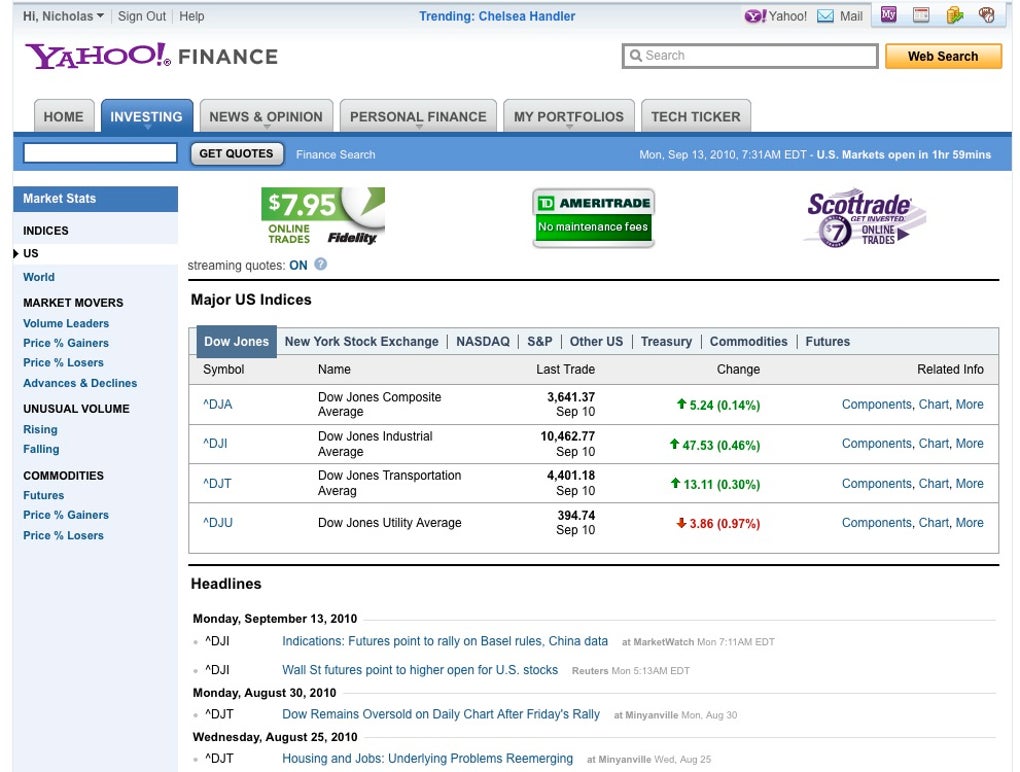
Yahoo Finance stands out as one of the most trusted financial news platforms on the internet. Backed by the search‑engine giant Yahoo!, the service aggregates real‑time stock quotes, market indexes, corporate press releases, earnings reports, and a vibrant community of investors. In February 2010 the site attracted more than 23 million visitors, making it the top‑ranked finance research portal in the United States.
The modern Yahoo Finance web app goes beyond simple price tracking; it lets users create personalized watchlists, set up custom alerts, and even follow live market commentary from seasoned analysts. For newcomers, the built‑in Help Center demystifies basic concepts like P/E ratios, dividend yields, and portfolio diversification. Experienced traders will appreciate the depth of historical data, interactive charts, and the ability to export data for offline analysis.
While the platform is primarily geared toward U.S. markets, Yahoo Finance offers localized versions for major economies across South America, Europe, and Asia, ensuring that users worldwide can stay connected to the financial stories that matter most. Whether you’re a casual investor checking the price of a favorite tech stock or a professional fund manager monitoring multiple asset classes, Yahoo Finance provides a secure, regularly updated, and free environment to stay ahead of market movements.
Key Features
- Real‑time Stock Quotes: Instantaneous price updates for equities, ETFs, mutual funds, commodities, and currencies.
- Customizable Watchlists: Add, organize, and prioritize the securities that matter most to you.
- Interactive Charts: Multi‑time‑frame candlestick, line, and area charts with technical indicators such as moving averages, RSI, and Bollinger Bands.
- News Aggregation: Curated headlines from Reuters, Bloomberg, and Yahoo’s own editorial team, filtered by your watchlist symbols.
- Financial Statements & Analyst Ratings: Access income statements, balance sheets, cash‑flow data, and consensus ratings for publicly traded companies.
- Portfolio Tracker: Track performance, gains/losses, and dividend income across multiple accounts.
- Alert System: Set price, percentage, or news alerts that trigger push notifications on desktop and mobile.
- Community Message Boards: Join discussions, ask questions, and share insights with millions of other investors.
- Localization: Versions of the site tailored for Brazil, Germany, Japan, India, and more, with regional market data.
- Secure Sign‑In: Two‑factor authentication (2FA) and encrypted data transmission keep your personal finance information safe.
Installation & Usage Instructions
Getting started with Yahoo Finance is straightforward, whether you prefer the web portal or the mobile app. Follow these steps to download, install, and begin using the platform:
- Create a Yahoo Account: Visit login.yahoo.com and sign up with an email address, or link an existing Yahoo ID. A verified account unlocks personalization features such as watchlists and alerts.
- Download the App (Optional): For iOS users, open the App Store, search “Yahoo Finance,” and tap “Get.” Android users can locate the app on Google Play Store with the same search query. The download size is under 50 MB, and the app requires iOS 12+ or Android 6.0+.
- Log In: Launch the app or navigate to
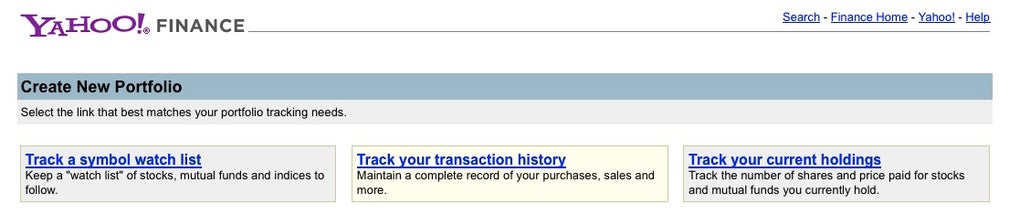
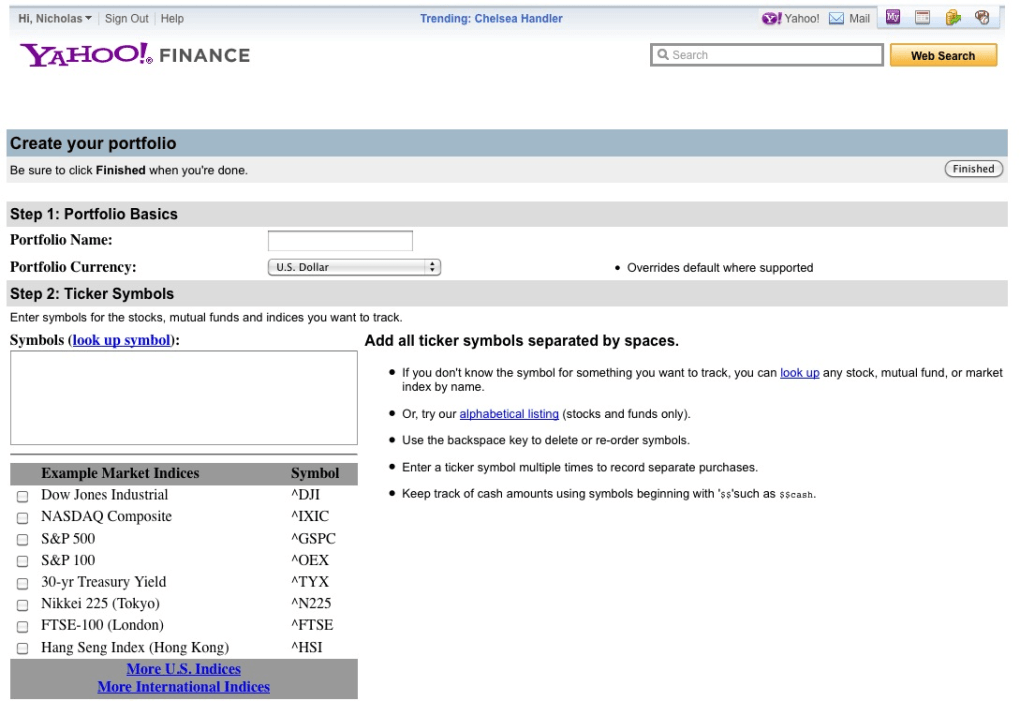
finance.yahoo.com. Enter your Yahoo credentials and, if enabled, complete the 2FA step. - Set Up Your First Watchlist: Click “My Portfolio” → “Create Watchlist.” Enter ticker symbols (e.g., AAPL, TSLA) and assign a custom name. Drag and drop to reorder items.
- Configure Alerts: Tap the bell icon next to a symbol, choose “Price Alert,” and define the threshold. Alerts can be delivered via push notification, email, or SMS.
- Explore Charts & Data: Select a ticker to open its summary page. Use the “Chart” tab to switch between daily, weekly, and monthly views, and add technical overlays from the toolbar.
- Join the Community: Scroll to the “Message Boards” section, pick a topic (e.g., “Tech Stocks”), and read or post comments. Remember to follow forum guidelines to maintain a respectful environment.
- Export Portfolio Data: In “My Portfolio,” click the export icon to download a CSV file of your holdings, useful for offline analysis in Excel or Google Sheets.
For advanced users, Yahoo Finance offers an API (limited to partners) that allows programmatic retrieval of market data. While the free version does not include API access, the robust web interface and mobile apps provide everything most investors need on a daily basis. Regular updates are rolled out automatically, ensuring you always have the latest features and security patches without manual intervention.
Compatibility & System Requirements
Yahoo Finance is built to run on a wide range of operating systems and devices, making it accessible whether you work from a desktop, laptop, tablet, or smartphone. Below is a breakdown of supported platforms:
- Windows: Fully functional on Windows 10 and Windows 11 using any modern browser (Chrome, Edge, Firefox, Safari). A lightweight desktop shortcut can be created for quick access.
- macOS: Compatible with macOS 11 (Big Sur) and later. Safari, Chrome, and Firefox provide an optimal viewing experience.
- iOS: The Yahoo Finance app requires iOS 12 or newer. It runs smoothly on iPhone 6s and later, as well as iPad devices.
- Android: Requires Android 6.0 (Marshmallow) or higher. The app is optimized for both smartphones and tablets, supporting split‑screen mode on newer Android versions.
- Web Browsers: The web app leverages HTML5, CSS3, and JavaScript. For best performance, enable JavaScript and allow cookies. A stable internet connection (minimum 3 Mbps) is recommended for real‑time data streaming.
Security is a top priority. All connections use HTTPS with TLS 1.2 encryption, and the platform adheres to industry‑standard privacy practices. Users should keep their operating systems and browsers up to date to benefit from the latest security patches, which also ensures seamless compatibility with Yahoo Finance’s dynamic content.
Pros, Cons, FAQ & Conclusion
Pros:
- Free to use with no hidden subscription fees.
- Real‑time data covering a broad spectrum of asset classes.
- Highly customizable watchlists and alert system.
- Robust mobile apps for iOS and Android.
- Secure login with optional two‑factor authentication.
Cons:
- Advanced charting tools are less sophisticated than premium platforms like Bloomberg Terminal.
- Some international markets receive delayed data (typically 15‑20 minutes).
- The community message boards can occasionally contain unverified rumors.
- No built‑in trading execution; users must link external broker accounts.
Overall, Yahoo Finance delivers a comprehensive, free solution for both novice and experienced investors. While it may lack the deep analytical suite of paid services, its ease of use, extensive news coverage, and reliable data make it an essential tool for anyone looking to stay informed about the financial markets.
Frequently Asked Questions
Is Yahoo Finance really free?
Yes. All core features—including real‑time quotes, watchlists, news, and basic charting—are completely free. Yahoo offers optional premium services for advanced analytics, but the free tier is more than sufficient for most individual investors.
Can I trade stocks directly from Yahoo Finance?
No. Yahoo Finance does not provide a brokerage interface. However, you can link a broker’s account to view holdings and use the platform’s data to inform your trades.
How secure is my personal information on Yahoo Finance?
Yahoo employs HTTPS encryption, two‑factor authentication, and regular security audits to protect user data. It is advisable to enable 2FA and use a strong, unique password for maximum security.
Does Yahoo Finance offer data for cryptocurrency markets?
Yes. The platform includes a dedicated “Cryptocurrency” section where you can monitor Bitcoin, Ethereum, and other major digital assets, complete with price charts and news updates.
Can I export my watchlist or portfolio data?
Absolutely. In the “My Portfolio” area, click the export icon to download a CSV file containing all your holdings, performance metrics, and dividend information.
In summary, Yahoo Finance provides a powerful, secure, and free gateway to the world of financial markets. Its blend of real‑time data, customizable tools, and a thriving community makes it an indispensable companion for investors of any skill level. Ready to stay ahead of market moves? Download Yahoo Finance now or sign in with your Yahoo account to start building your personalized watchlist today.



.png)



